 PrintSheriff
Runs where your printer already runs
The plugin hooks OctoPrint’s timelapse capture event, scores each frame using a local TFLite model directly on the printer host (e.g. Raspberry Pi), and surfaces the result in the UI — 100% offline with zero cloud dependency.
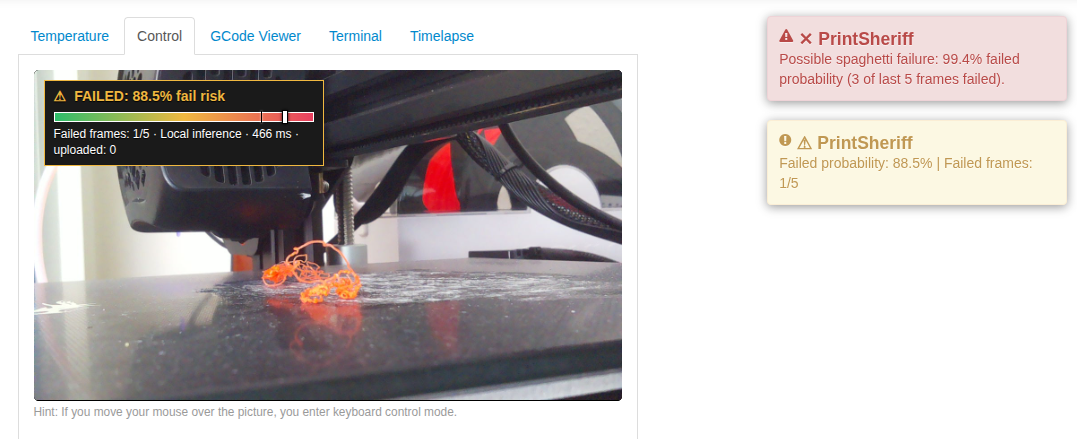

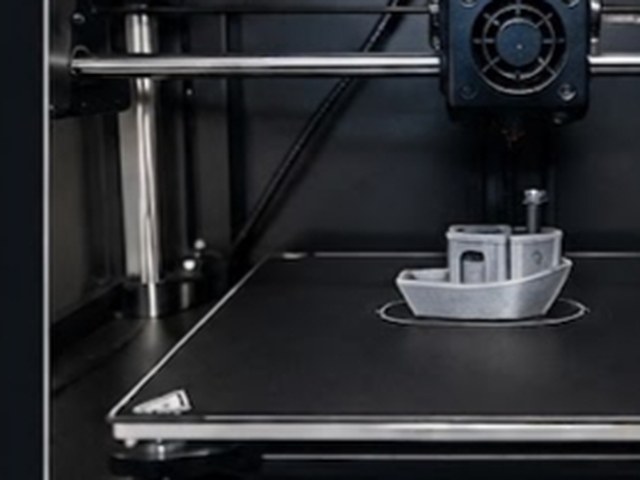
Camera placement
Before inference the frame is cropped to a centred square and resized to 224 × 224. On a 640 × 480 webcam that keeps the middle 480 × 480 pixels and throws away 80 pixels from each side.
-
Full frame 640 × 480
-
Centre crop 480 × 480
-
Resize 224 × 224
-
Inference TFLite, local
Aim the camera so the print and the build plate sit in the middle of the frame. A failure that happens only in the outer edges of a wide shot is cropped away before the model ever sees it — the most common cause of missed detections.
Local on-device inference
In the current version, the plugin runs 100% local inference using TensorFlow Lite directly on your printer host (Raspberry Pi 3/4/5, Pi Zero 2 W, or x86 PC). No external server or internet connection is needed during printing — your camera frames never leave your local network.
| Hardware | Inference time | Details |
|---|---|---|
| Raspberry Pi 5 | ~40 ms | MobileNetV2 float32, multi-thread TFLite runtime |
| Raspberry Pi Zero 2 W | ~480 ms | Well within standard timelapse capture intervals |
Installation
Install directly via OctoPrint’s built-in Plugin Manager:
- Open OctoPrint settings and navigate to Plugin Manager > Get More
- Under …from URL, paste the release archive URL:
Plugin Archive URL
https://github.com/xeonqq/octoprint_printsheriff/archive/refs/tags/0.1.0.zip - Click Install and restart OctoPrint when prompted
Alternatively, install via command-line in your OctoPrint virtualenv:
pip install https://github.com/xeonqq/octoprint_printsheriff/archive/refs/tags/0.1.0.zip
Settings
| Key | Description | Default |
|---|---|---|
enabled |
Master switch for the plugin | true |
threshold |
Probability above which a frame counts as failed | 0.8 |
required_failed_frames |
M — failed frames needed inside recent window to trigger an alert | 3 |
ntfy_enabled |
Send push notifications on failure | false |
ntfy_server_url |
ntfy server URL (supports public https://ntfy.sh or self-hosted) |
https://ntfy.sh |
ntfy_topic |
Topic that receives the alerts in the ntfy mobile app | empty |
ntfy_token |
Optional access token for password/token-protected ntfy topics | empty |
ntfy_notify_on_done |
Send a push notification with a snapshot when a print finishes | true |
Notifications
When a failure sequence triggers, the plugin fires one push per sequence — not one per frame — with the offending frame attached, so you can judge from your phone whether to cancel the print.
 Alerts are delivered with ntfy,
so you need the free ntfy app
(Android,
iOS)
or the web app to receive them.
Install it, subscribe to the topic you set in
Alerts are delivered with ntfy,
so you need the free ntfy app
(Android,
iOS)
or the web app to receive them.
Install it, subscribe to the topic you set in ntfy_topic, and the pushes arrive wherever you are.
No account is required.
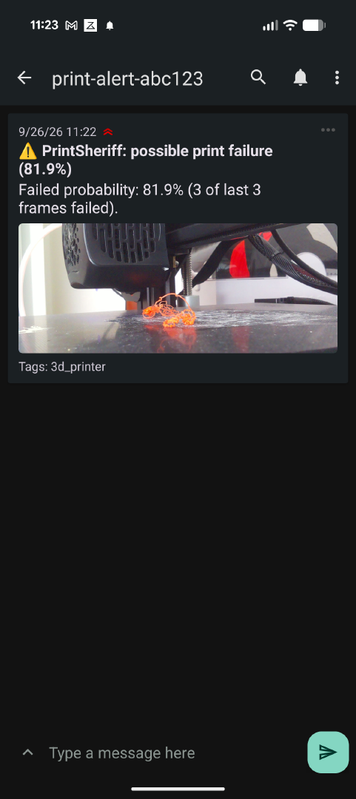
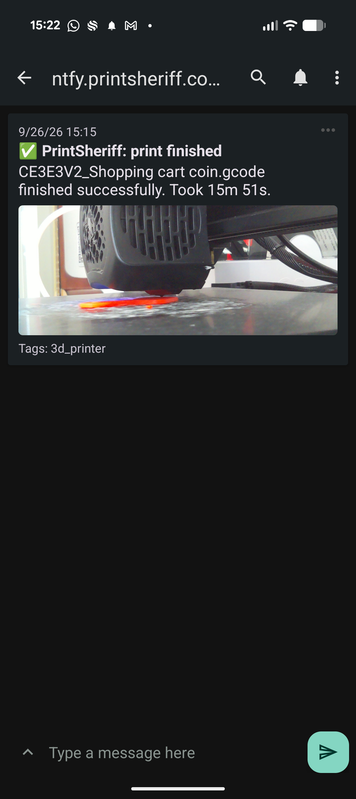
Attachments need the ntfy server to have an attachment cache and a LAN-reachable base URL
configured. Pointed at localhost, the push arrives but the image will not
download.
Help improve the model
The detector only gets better with images from printers it has not seen. Your setup — your camera angle, your lighting, your filament — is exactly the kind of data the training set is missing.
In the plugin settings, under Training-data collection, tick Help improve the model. It is off by default, so nothing is uploaded unless you deliberately switch it on.
- Only a sample is sent: every
upload_every_nth_framecapture (5th by default), plus frames whose score lands near the threshold, where the model is least sure - Uploaded frames are deleted after 14 days
- Only the cropped camera image is sent — no G-code, no file names, no account details
- Detection itself stays local; turning this off does not reduce what the plugin can do
If you hit a false alarm or a missed failure, enabling this for a few prints is the single most useful thing you can do — those are precisely the frames the next model needs. You can also send individual images through the contact form.
Requirements
- OctoPrint with timelapse enabled (Timed or On Z Change) — the plugin evaluates frames on capture events
- Python packages:
numpy < 2,Pillow, andtflite-runtime - On Raspberry Pi OS:
sudo apt-get install -y libopenblas0-pthread(if not already present)